Web Video Caster Alternative: Free Casting App, No Account
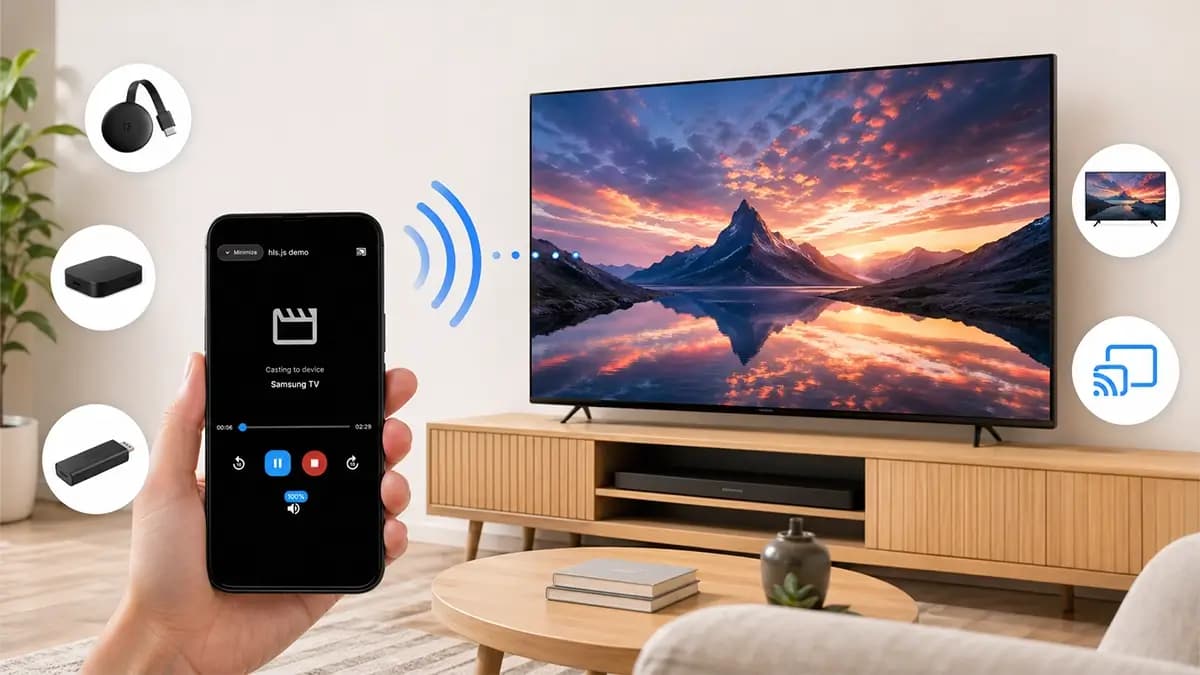
CastBrowser is a free Web Video Caster alternative for iPhone and Android. It casts compatible web videos to Roku, Chromecast, Fire TV, Samsung and DLNA Smart TVs, AirPlay receivers, and browser receivers with no account required. Open a site, detect the video, pick your TV, and cast.
TL;DR — When CastBrowser is the better fit
Choose CastBrowser if you want a free Web Video Caster alternative with a cleaner page-to-TV workflow. It includes a full mobile browser, automatic video detection, and casting to the major TV platforms without sign-up. It is especially useful when you want one app for Roku, Chromecast, Fire TV, AirPlay, DLNA Smart TVs, and browser receiver targets.
- • You want a browser-first casting app with automatic video detection.
- • You want the same casting app on Android and iPhone.
- • You prefer no account, no email, no sign-up.
- • You still need broad support for Chromecast, Roku, Fire TV, AirPlay, DLNA, and browser receiver targets.
Free, no account, no sign-up — cast web video to Roku, Chromecast, Fire TV or DLNA.
What is Web Video Caster?
Web Video Caster is a phone app that finds the video on a web page and sends it to a television, rather than mirroring your screen. You browse inside the app, it detects the underlying stream, and the TV plays that stream directly — which is why playback keeps going when the phone is locked. Its store listings name Google Cast devices, Roku, Fire TV, DLNA receivers and Smart TVs from LG, Samsung and Sony, and it handles subtitles, including a search of OpenSubtitles.
CastBrowser works the same way, so people comparing the two are usually deciding on three things: whether an account is required, what sits behind a paid tier, and how the browser itself feels to use. Feature lists and prices change, so check the current store listing before you decide — everything below describes what CastBrowser does today.
Neither app can get around DRM. If a service encrypts its playback, no casting app will send it to a TV; that is a licensing decision by the service. See which websites actually cast for what works in practice.
CastBrowser vs Web Video Caster — Side by Side
Start with the decision points. The rest of the table confirms that you still get the TV support you expect.
| Feature | CastBrowser | Web Video Caster |
|---|---|---|
| Best reason to try | Clean page-to-TV flow | Mature, familiar casting app |
| Account / sign-up required | No | Optional |
| Price | Free to use; optional Premium upgrade | Free with in-app purchases listed |
| Android app | Yes | Yes |
| iPhone / iPad app | Yes | Yes |
| Chromecast / Google TV | Yes | Yes |
| Roku | Yes (free Roku channel) | Yes (free Roku channel) |
| Amazon Fire TV | Yes | Yes |
| DLNA Smart TVs | Yes | Yes |
| AirPlay (iOS) | Yes | Yes |
| HLS / DASH live streams | Yes | Yes |
| Subtitles (SRT/VTT) | Yes | Yes |
| Background casting | Yes | Yes |
Why CastBrowser Is Worth Trying
1. A cleaner path from page to TV
CastBrowser keeps the workflow focused: browse, detect, cast. The device picker, video controls, and supported protocols are built around getting a web video onto the TV quickly.
2. No account, no email, no sign-up
CastBrowser does not ask for an email, a phone number, or a login. Install it, open the page you want, choose the TV, and start casting.
3. Browser-first UI
CastBrowser is a full web browser with tabs, bookmarks, history, and automatic video detection on every page. If you prefer a lightweight browser around casting, it is worth a 60-second test on the sites you use most.
When Web Video Caster Might Still Be the Right Pick
We don't want to oversell. If you already know its UI, have your devices paired, and it works well for your sites, there may be no urgent reason to switch. Specific cases where staying makes sense:
- • You are comfortable with the Web Video Caster UI.
- • You rely on a specific playlist or subtitle setup that you have already tuned.
- • You have a long playback queue or subtitle setup you don't want to recreate.
Outside of those cases, the friction of trying CastBrowser is low: it is free, requires no account, and works with the TV devices you already own. You can keep both installed and test the same page on the same screen.
How to Switch — 60 Seconds
- Install CastBrowser on the same phone where Web Video Caster is currently installed (Google Play / App Store).
- Connect the phone to the same Wi-Fi as your Chromecast, Roku, Fire TV, or Smart TV — exactly as Web Video Caster needs.
- Open CastBrowser, browse to the page you usually cast from, press play.
- Tap the cast icon and pick the same device. The TV plays the stream natively — same protocol, same quality.
- If you cast to a Roku and discovery fails, sign in to your Roku account from any browser and add the official CastBrowser channel from the Roku Channel Store. It auto-installs to your Roku.
No data migration, no account transfer, no DRM keys. Web Video Caster can stay installed alongside CastBrowser while you compare the same site on the same TV.
Frequently Asked Questions
Why pick CastBrowser over Web Video Caster?
CastBrowser is a strong fit if you want a free casting app with no account, a browser-first workflow, and broad receiver support from one app. The simplest test is to install both apps, open the same page, and cast to the same TV.
Is CastBrowser a free alternative to Web Video Caster?
Yes. CastBrowser is currently free on Google Play and the App Store. Every supported casting protocol and video format is included from install, with no account required.
Does CastBrowser work on iPhone like Web Video Caster?
Yes. CastBrowser is available on iPhone and iPad and can cast to Chromecast, Roku, Fire TV, AirPlay receivers, and DLNA Smart TVs from iOS. Pick the app that feels best on the sites and devices you use most.
Can CastBrowser cast the same websites as Web Video Caster?
Yes — both apps detect the same underlying video streams (MP4, HLS/M3U8, DASH, MKV, WebM, AVI and more), and both fail in the same place: DRM-protected content like Netflix, Disney+, and HBO Max cannot be cast from any third-party browser. For non-DRM web video, CastBrowser detects streams across over 20 formats and supports live HLS and DASH for sports and IPTV.
Will my Web Video Caster receiver hardware work with CastBrowser?
Yes, because the receiving device — Chromecast, Roku, Fire TV, Smart TV — is what defines compatibility, not the sender app. CastBrowser sends standard Google Cast, Roku ECP, Fire TV cast, DLNA, and AirPlay messages, so any TV or streaming device that worked with Web Video Caster will work with CastBrowser. There is nothing to migrate; install CastBrowser, pick the same device from the list, and cast.
Does CastBrowser have a Roku channel like Web Video Caster Receiver?
Yes. The official CastBrowser Roku channel installs from the Roku Channel Store and pairs with the phone app automatically when both devices are on the same Wi-Fi network. This is useful when Roku discovery is blocked at the network level — sign in to your Roku account from any browser, add the CastBrowser channel to the account, and Roku installs it on every device linked to that account.
Try the Web Video Caster Alternative
CastBrowser is free on Android and iOS, needs no account, and works with Chromecast, Roku, Fire TV, AirPlay, and DLNA TVs. Install it and try the same page on the same TV.