How to Stream Football Legally on Your Smart TV
Choose the licensed service for your country first. Use its TV app or approved cast control for protected video; use CastBrowser only when your authorized web player exposes compatible non-DRM video.
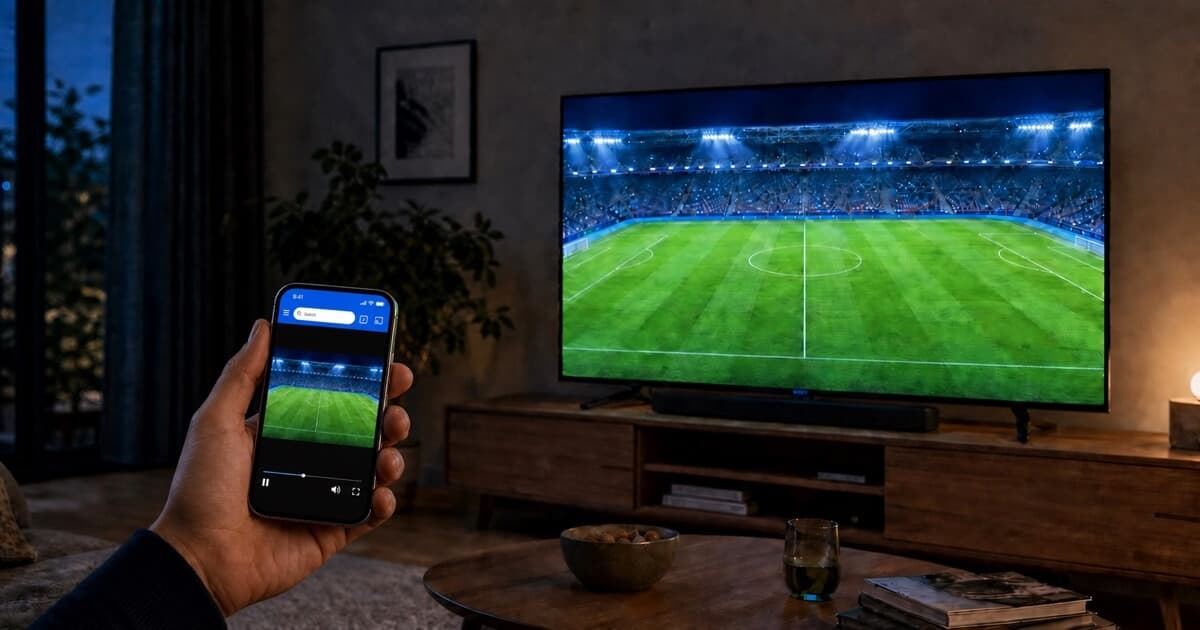
Open your authorized compatible stream, tap Cast, and choose your TV.
The Short Answer: Choose the Legal Source Before the Casting Method
A legal football—or soccer—setup begins with access granted by the rights holder in your location. That may be a paid sports subscription, a television package with an authenticated web login, or an official free replay or highlights service. The fact that a page loads in a browser does not prove that it is licensed. Confirm the provider first; only then decide how to move its video from phone to television.
The safest first stop is the competition's official broadcast-partner page. UEFA maintains country-by-country partner information for its club competitions, while domestic leagues publish partner or broadcast pages of their own. These pages are more reliable than search-result snippets because rights can change between seasons, territories, and even individual match packages. The European football casting guide links to official season and broadcaster sources where organizers publish them for all eight major competitions.
What “Authorized to Watch” Means
You are authorized when the licensed service makes the match available to your account in the country where you are watching and you comply with that service's terms. A subscription in one country does not automatically grant access in another. A social-media link, embedded player, or search result is not a substitute for checking the service and the rights holder. If you are unsure, use the organizer's official broadcaster information when it is available, then verify the provider serving your location.
CastBrowser does not verify or sell viewing rights. It also does not bypass sign-in, payment, territorial controls, DRM, or a provider's supported-device rules. You remain responsible for choosing a lawful source and following its terms. This division is deliberate: the broadcaster supplies and authorizes the content; CastBrowser can only help a compatible video already available to you reach a supported receiver.
Pick the Best Playback Route
Use the most direct route the licensed service supports. A native TV app is usually the best option for protected live sport because it can authenticate the account and handle the broadcaster's DRM. The provider's official Chromecast or AirPlay button is the next choice when it is present. CastBrowser is useful when the TV app is absent and the authorized web player supplies compatible non-DRM video.
| Situation | Use this route | Why |
|---|---|---|
| Official app exists on the TV | Native broadcaster app | Best support for account access, DRM, captions, and live controls. |
| Official mobile app has a cast button | Its Chromecast or AirPlay control | Keeps playback inside the provider's approved flow. |
| TV app is missing; web video is compatible | CastBrowser | Can send supported non-DRM video to a compatible TV receiver. |
| Stream is protected or casting is disabled | Supported official device | A third-party browser cannot remove the provider's protection. |
When CastBrowser Can Work Well
The positive case is simple: you already have authorized access, the provider permits playback in a normal web browser, the video is not locked to its DRM player, and your television exposes a receiver that supports the stream's format and codec. This can include an official free-to-air web stream, an authenticated replay or highlights page, or a subscription web player that supplies compatible non-DRM video.
In that situation, open the authorized page in CastBrowser, start the video, tap Cast, and select the TV. The receiver handles the compatible video while the phone remains available as the controller. Test the actual service before kickoff because success on one website does not prove that a different player uses the same format or protection.
Have a compatible authorized stream? Install CastBrowser and test it with your TV before kickoff.
Where CastBrowser Fits
CastBrowser is a browser with video detection and multiple receiver protocols. When an authorized site serves a compatible video without unsupported protection, the app can send that video to Chromecast or Google TV, Roku, Fire TV, AirPlay receivers, DLNA-capable Smart TVs, the CastBrowser Android TV receiver, or the browser-based Web Receiver. The full three-step football casting workflow explains each receiver without duplicating it here.
This is direct video casting rather than a promise that every website will work. The television still needs to reach the video URL and support its format, codec, audio track, and delivery method. Temporary tokens may expire; some players require the phone to remain active; and some services intentionally restrict playback to their own apps. Test the exact authorized service before kickoff instead of assuming that a successful test on another site guarantees the match will cast.
Why DRM Changes the Answer
Digital rights management—commonly Widevine, FairPlay, or PlayReady—lets a broadcaster restrict playback to an approved app, browser, account, device, or output path. Live sports commonly use it. If CastBrowser cannot expose or send a protected match, that protection is working as the provider intended. The correct solution is the broadcaster's app, its built-in casting feature, or a supported television device—not an attempt to work around the restriction.
A Safe Pre-Match Checklist
- Confirm the rights holder. Use the competition's official broadcaster page, then open the named service directly.
- Check your account. Make sure your package includes the competition and the particular match.
- Test the official app first. If it exists on your TV and works, use it—especially for DRM-protected live coverage.
- Check the provider's cast control. An in-app Chromecast or AirPlay button is preferable when available.
- Use CastBrowser only for compatible video. Open the authorized stream you accessed in your account, then select a supported receiver.
- Test early. Verify sign-in, picture, sound, subtitles, and playback controls before the live programme starts.
Choose a Receiver for Your Television
Chromecast and Google TV are straightforward when the official service or compatible stream exposes Google Cast. On iPhone, an AirPlay-capable TV or Apple TV may be the cleanest route. Samsung and LG televisions often provide DLNA for compatible media, while Roku and Fire TV use their own receiver paths. If a Smart TV has no useful app or native receiver, the missing football app guide explains the browser receiver and device-specific fallbacks.
For focused setup instructions, use the guides for Chromecast and Google TV, Roku, Fire TV, Samsung TV, or iPhone and AirPlay. These pages own the technical detail so this article can stay focused on legal source selection.
What to Avoid
Avoid pages or apps that promise every match without naming a licensed provider, request an unknown playlist file, tell you to bypass territorial or DRM controls, or disguise payment and subscription requirements. Also avoid copying fixture databases or relying on old broadcaster lists: official schedules and rights change, and unofficial copies can become inaccurate quickly. CastBrowser does not recommend unauthorized sources, unlock paid services, or provide a directory of streams.
Common Questions
Does CastBrowser provide football matches or streaming sites?
No. CastBrowser provides neither football content nor a list of places to obtain it. You supply a legal, authorized service for your country. CastBrowser can only send technically compatible non-DRM video from that service to a supported TV.
Can CastBrowser remove DRM or a location restriction?
No. It does not bypass access controls, territory rules, sign-in requirements, subscriptions, or DRM. Use the broadcaster's official app and supported device when those controls apply.
Is a subscription enough to make every casting method work?
No. A subscription may grant viewing access while the provider still limits playback to approved apps and devices. Legal access and technical compatibility are separate checks. Follow the provider's supported-device guidance.
When does the main European club season run?
The 2026/27 European club season runs from August 2026 into May and early June 2027. The major domestic leagues begin in August and finish in May. UEFA league phases begin between September and October; the final UEFA matches take place from late May through June 5, 2027. See the competition-by-competition season guide for official dates and broadcaster finders.
Already Have an Authorized Stream?
Install CastBrowser and test whether the service's compatible non-DRM video can play on your television.